
Subtitles, audio and volume
Subtitles
Section titled “Subtitles”Options → Subs in the player lists everything available for what is playing:
- tracks inside the file. SRT, ASS, PGS,
mov_text, DVB and teletext subtitles, - closed captions, labelled as such,
- anything you fetched from OpenSubtitles,
- subtitles that came with a download.
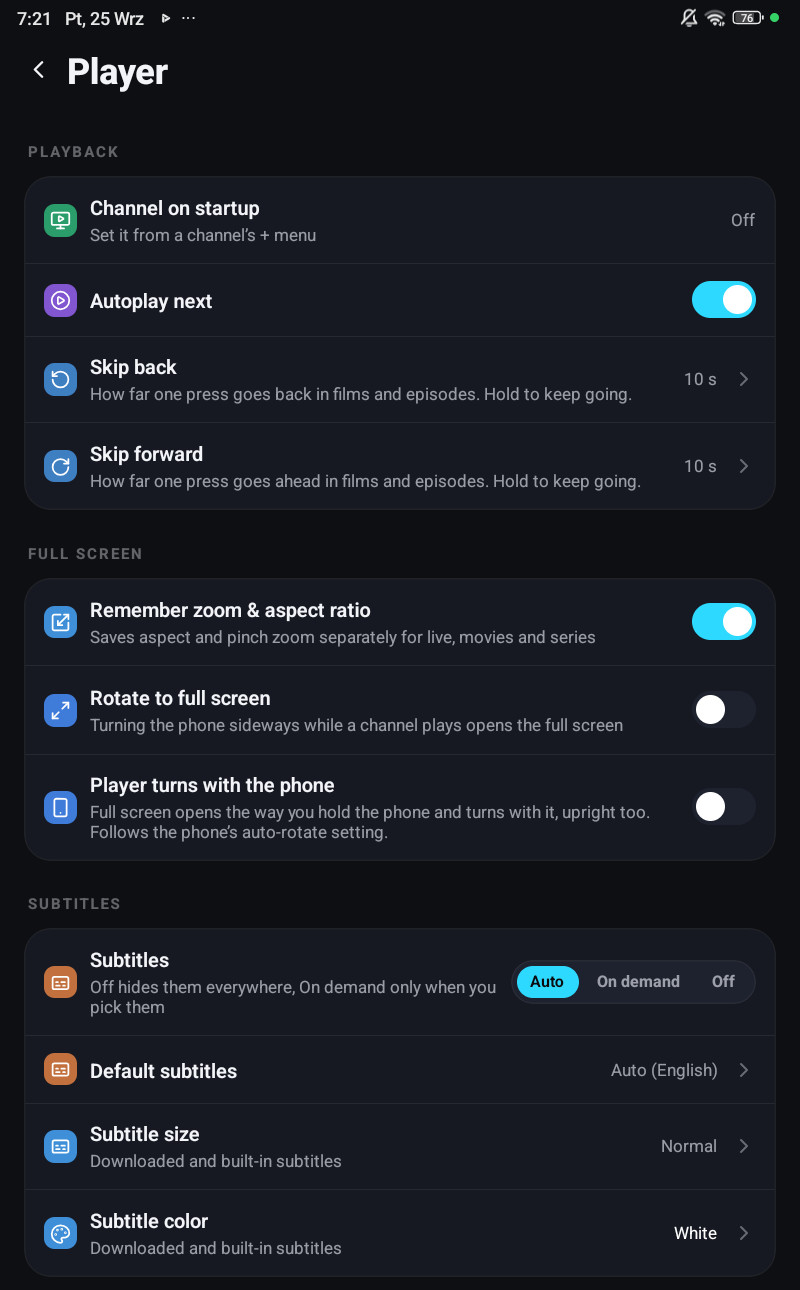
Settings → Player decides what happens without you asking:
| Setting | What it does |
|---|---|
| Subtitles | Auto picks a track when one matches your default language, On demand only shows them when you pick one, Off hides them everywhere |
| Default subtitles | The language Auto looks for |
| Subtitle size | Applies to downloaded and built-in subtitles |
| Subtitle colour | Same |
Size and colour stay on the device, a living-room television and a phone held at arm’s length do not want the same size.
Audio tracks
Section titled “Audio tracks”Options → Audio lists the tracks the stream carries, with language names rather than codes. Default audio in Settings picks one automatically when it exists.
A track’s name is treated as a language only when it is not repeated on tracks of another kind, providers often stamp the release group’s name on every track, and a list of six identical labels tells you nothing.
Volume boost
Section titled “Volume boost”For quiet streams. The steps are Off, +3, +6, +9, +12 dB.
They are decibels, not percentages, and that matters: a “200 %” amplitude multiplier is only about +6 dB, while a doubling of perceived loudness is around +10 dB. So the old percentage labels promised something they never delivered, and the scale now says what it does.
On the desktop the extended engine refuses anything above the first three steps, so the higher ones are hidden there rather than silently clamped.
If it appears to do nothing at all on a Samsung phone, that is a known device behaviour, see Volume boost does nothing.
Where a track list comes from before you play
Section titled “Where a track list comes from before you play”The version list and the facts grid on a film or series card show the audio and subtitle tracks without playing anything. They are read from the file itself rather than downloaded, so the list can take a moment to appear on a slow provider, and a file whose name says one thing while its contents say another is handled too.
Only one title is examined at a time, and never while something is playing, because an account limited to one connection answers the second request with an error.