
Live TV
Finding a channel
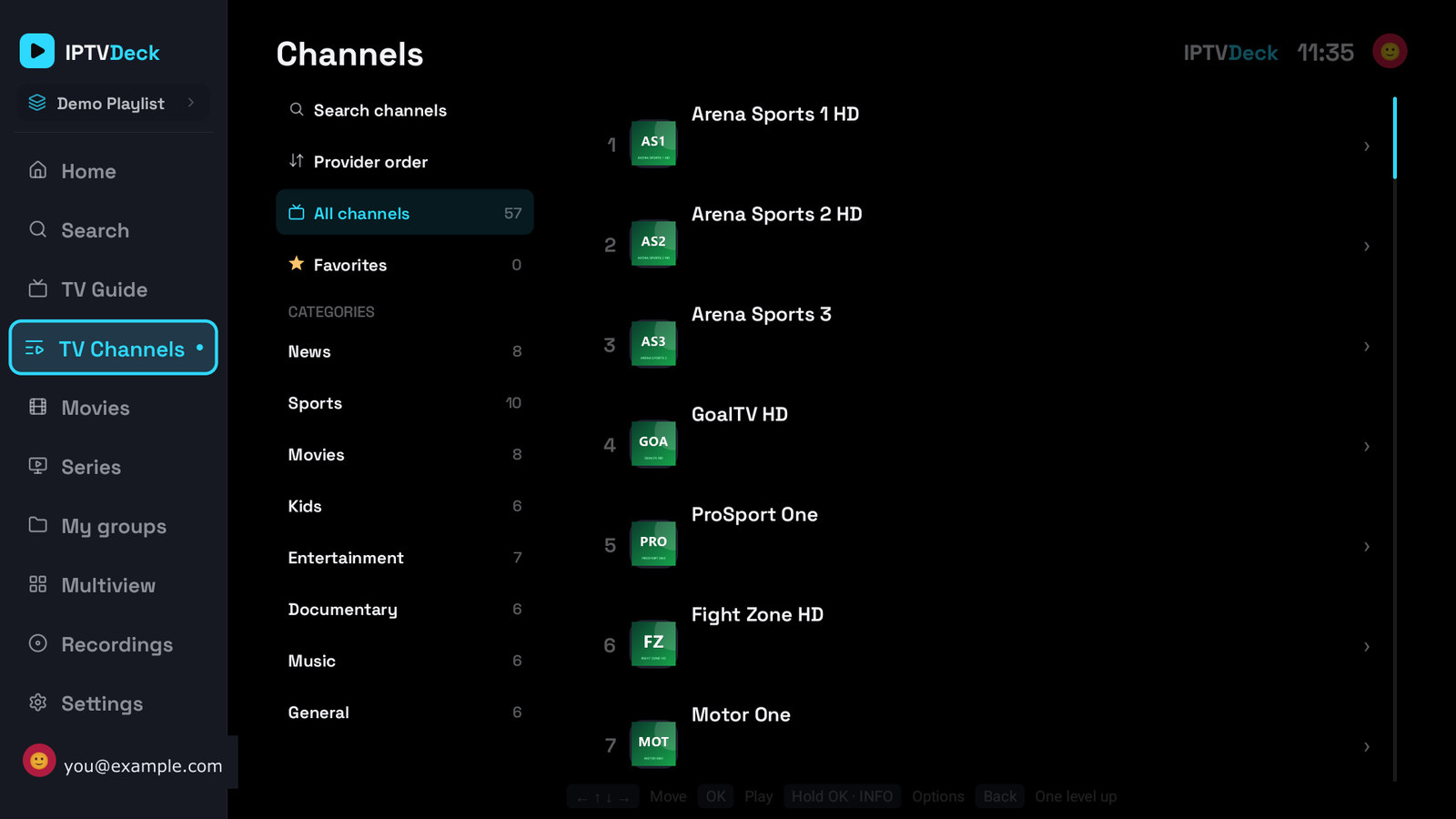
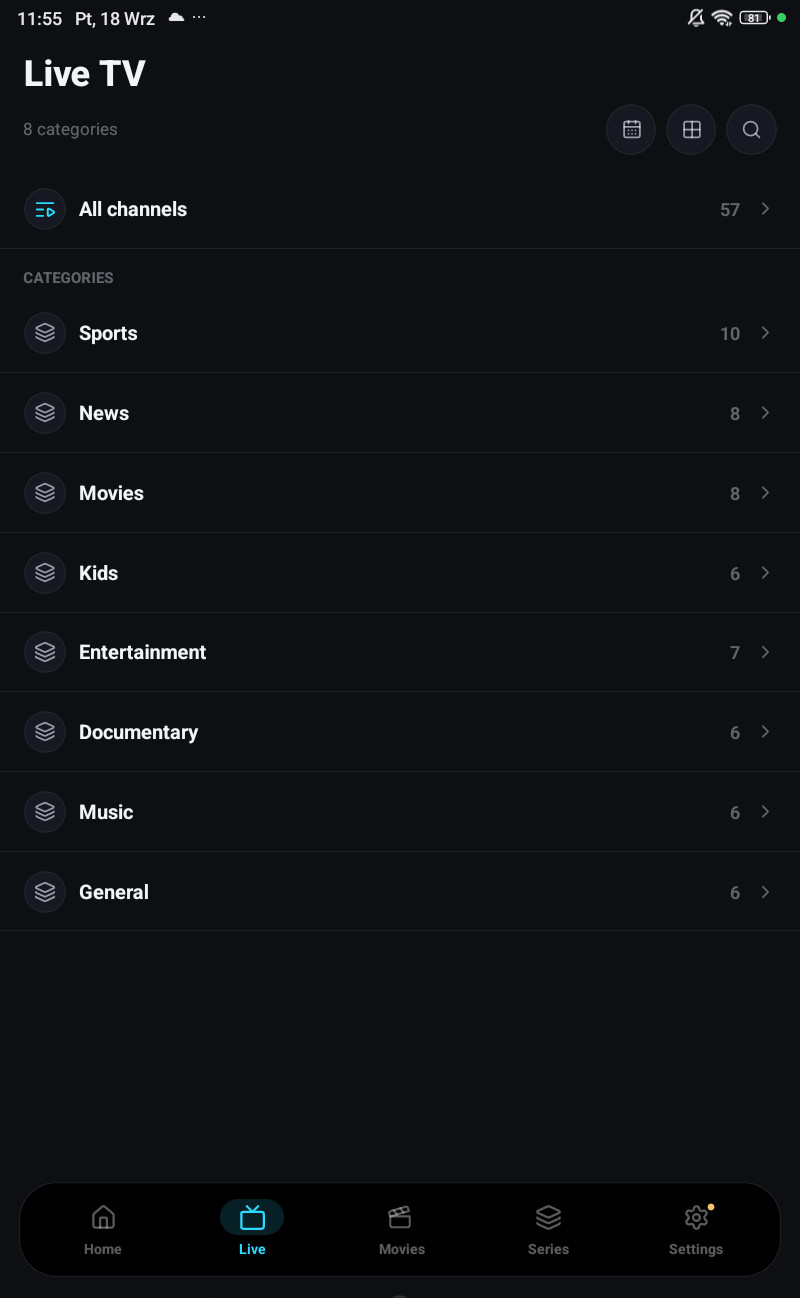
Section titled “Finding a channel”On a phone, Live. On a television, TV Channels for the list and TV Guide for the grid.
A playlist with at least eight visible categories opens Live on a folder screen. Favourites, All channels, My groups, then the categories with their counts. That is not a different mode, just a front door for lists that are too long to scroll.
Zapping
Section titled “Zapping”In the player, Up and Down move through the list you came from. Which list that is matters, and the app is careful about it:
- If you opened the channel from a category, zapping stays in that category.
- If you opened it from your favourites, zapping stays in favourites.
- After you switch to another version of a channel, zapping still follows the list you were in, even if that version belongs to a different playlist, and even if the current filter no longer contains it.
The channel number shown next to the name, the number you type on the remote, and the Playing another version highlight all refer to that same list. If they ever disagree, that is a bug worth reporting.
Channel numbers
Section titled “Channel numbers”Type digits on the remote and the app jumps to that number in the current list. There is no “enter” it resolves on its own after a moment.
Versions of the same channel
Section titled “Versions of the same channel”Providers ship the same station several times over: HD, FHD, RAW, VIP, a backup. The app reads them as one channel, orders them by quality, drops copies that point at the same stream, and puts up to eight behind one switch.
- In the player: Versions, or hold Left / Right to step through them.
- The toast shows name · playlist · i/N. The playlist name only appears when you have more than one playlist open.
Switching version does not restart your place in the list, and a second switch does not lose the list either.
Pausing live, and Go live
Section titled “Pausing live, and Go live”There is no timeshift. Pausing a live channel holds whatever is in the buffer, five to thirty seconds on the native engine, about five on VLC, and no more.
While you are behind, a Go live pill appears and the LIVE label goes grey. Tapping it rejoins the edge. After a long pause some channels jump back by themselves and others simply keep drifting further behind without saying so, which is exactly what the pill is for.
To actually go back in time, use catch-up, including Start from the beginning on the programme that is on right now, which is how you skip the advertisements at the top of the hour.
What “channel on startup” does
Section titled “What “channel on startup” does”Settings → Player → Channel on startup opens a chosen channel when the app has been closed for a while. You set it from a channel’s + menu rather than from a dropdown, because picking one out of a hundred thousand in a settings row is not a thing anyone wants to do.