
Search
One search box covers channels, films, series and the programme guide.
Where it is
Section titled “Where it is”- Phone: the magnifier in the header.
- Television: Search on the rail. Press OK and type — or hold the microphone on the on-screen keyboard. Results appear as you go.
On a television the results are split into tabs by what was found, opening on the first tab that has anything.
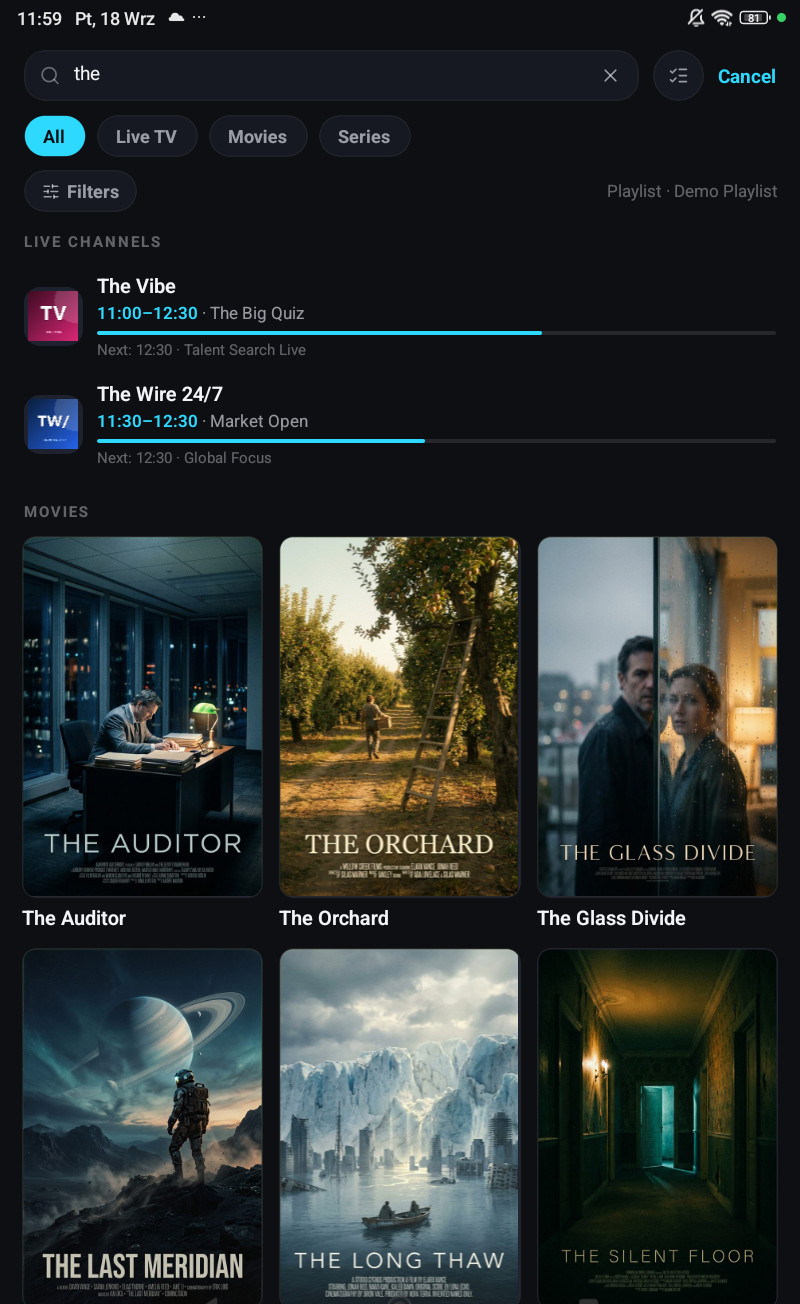
Typos are handled
Section titled “Typos are handled”Search needs neither the right spelling nor the whole name:
- Words in any order, and the beginning of each is enough,
bbc onefinds BBC One HD. - Part of a name works,
vn24andtvn 24both find TVN24. - Misspellings are corrected against your own catalogue,
barcafinds Barcelona andxmenfinds X-Men. - Extra words do not break it,
witcher season 2still finds The Witcher.
Accents fold, and so do ł, ø, đ, ß, æ and œ, which most search boxes never match at all.
Programmes
Section titled “Programmes”A search for a programme lists every channel airing it, which is what you want when a match is on four sports channels and only one of them works for you.
Guide search looks at titles only, not descriptions. Searching descriptions as well would cost a lot of storage and make every guide refresh noticeably slower on a cheap television, which is not a trade worth making.
What search will not show you
Section titled “What search will not show you”- Channels in a locked category, unless the current profile has unlocked it. They are filtered out before anything is drawn, so nothing leaks through search, the home rows or a deep link.
- Channels in a category you chose not to download. Those do not exist on the device at all.
Hidden categories are searched, and the search screen says so.
Why it is fast
Section titled “Why it is fast”Both the catalogue and the guide are indexed for search, so results stay quick on a playlist with hundreds of thousands of items, and on a television slow enough to make that painful.