
TMDB, step by step
Providers send a title and, with luck, a poster. The Movie Database (TMDB) fills in the rest: plot, cast with photos, trailers, ratings, genres and a page for every actor. IPTV Deck uses your own free TMDB key. You set it up once, it takes about five minutes, and with one switch every device on your account picks it up.
The titles, names and pictures in the screenshots below are made up.
Without and with TMDB
Section titled “Without and with TMDB”The same film, on the same playlist:
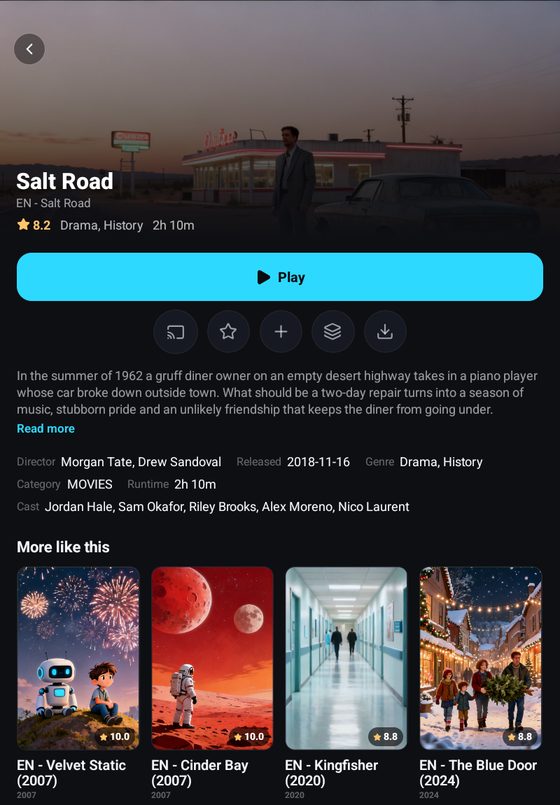
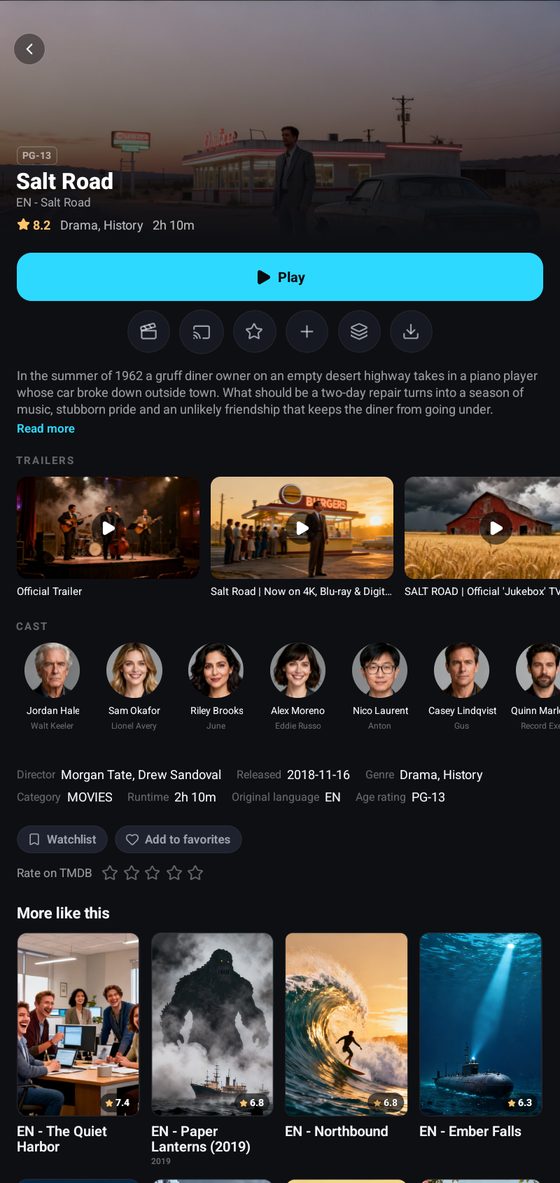
How much you get without TMDB depends on the provider. This one sends a plot and a backdrop; many M3U playlists send nothing but a name and a logo.
1. Create a free account
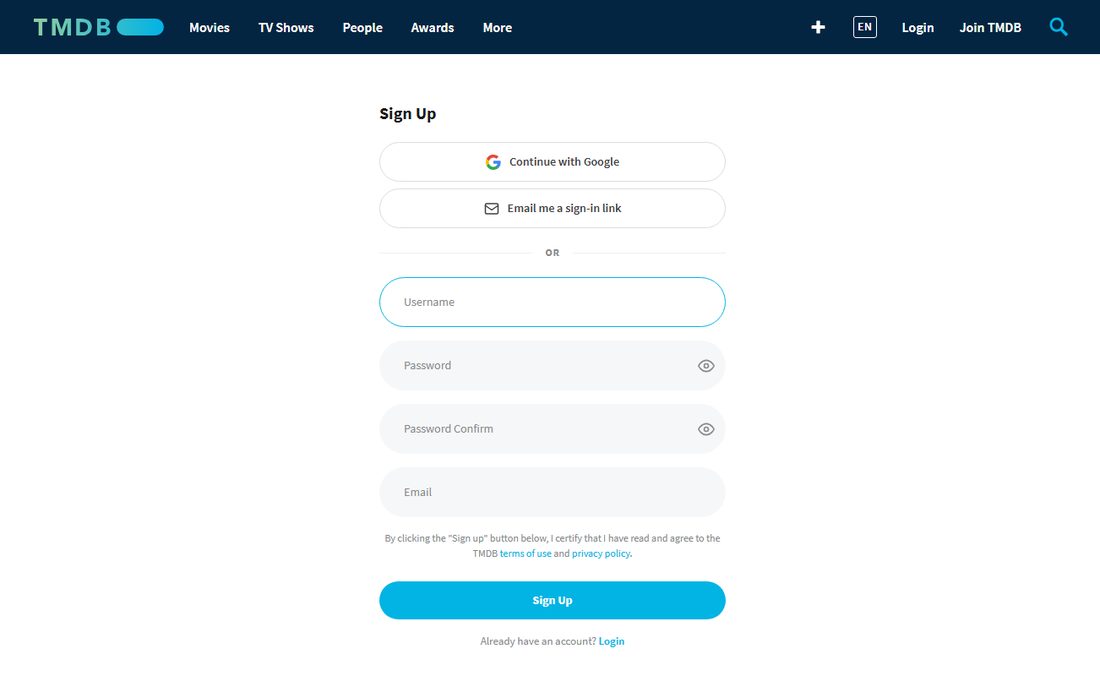
Section titled “1. Create a free account”Open themoviedb.org/signup and sign up with Google, an e-mail link or a username and password. Confirm the e-mail TMDB sends you.
2. Ask for an API key
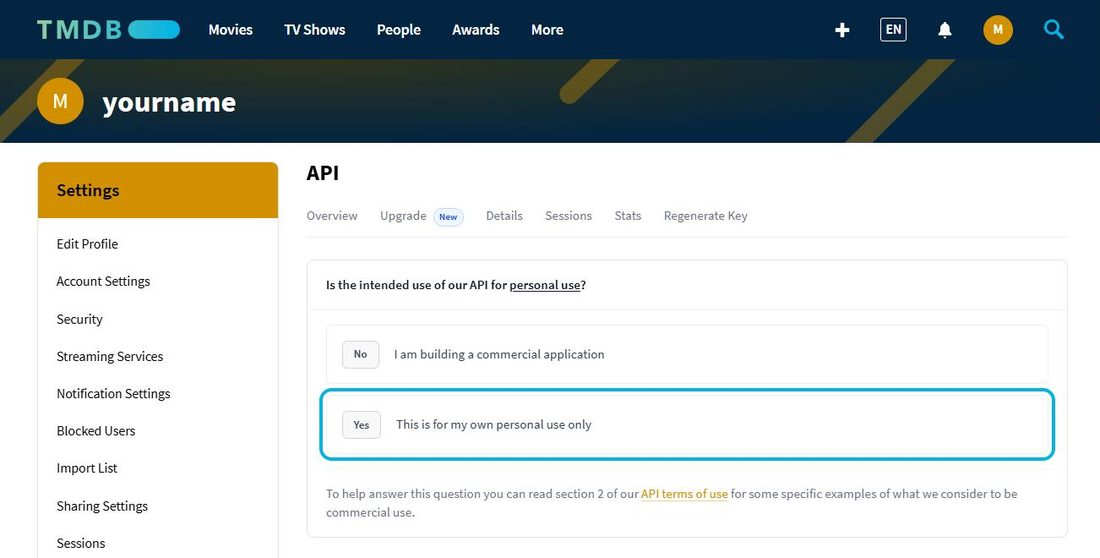
Section titled “2. Ask for an API key”- Click your avatar in the top right corner, then Settings, then API in the menu on the left.
- Choose to create a new key. To “Is the intended use of our API for personal use?” answer Yes, This is for my own personal use only.
- Accept the terms and fill in the short form: a name for your use (for example IPTV Deck at home), a website address (the IPTV Deck page will do), one sentence on what it is for, and your contact details.
A personal key is usually ready straight away.
3. Copy the API Key
Section titled “3. Copy the API Key”Settings → API now shows two values. Copy the one called API Key, the short one of 32 characters. The long API Read Access Token above it does not work in the app.
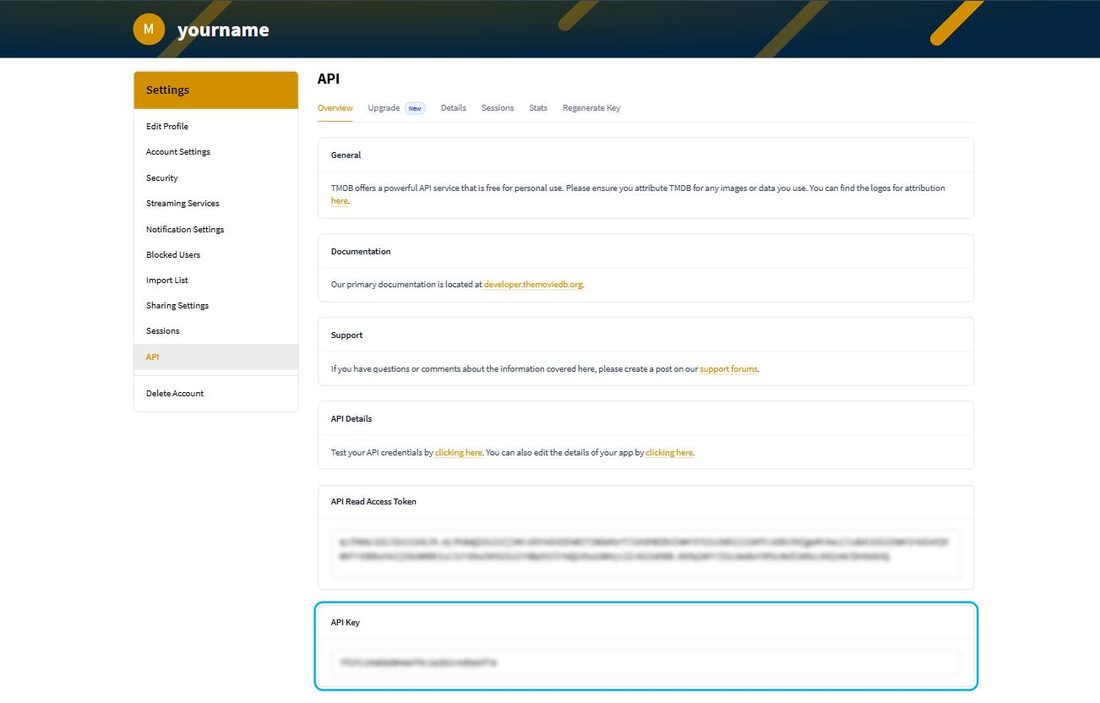
The easiest way to get it into the app is to open this page on the phone or tablet you are going to paste it on.
4. Paste it into IPTV Deck
Section titled “4. Paste it into IPTV Deck”Settings → Integrations → TMDB, on a phone, a tablet, a television or a computer.
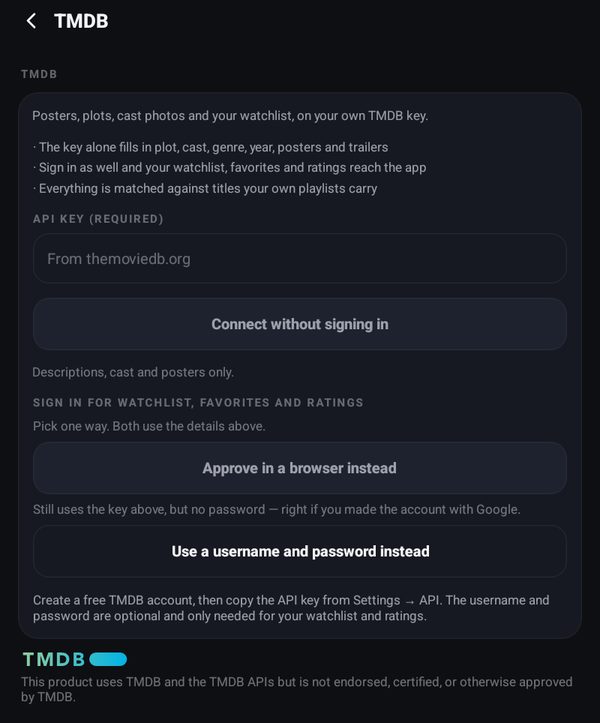
- Paste the key into API key (required).
- Press Connect without signing in. That is enough for plot, cast, posters, trailers, ratings and genres.
- Optional: sign in as well, and your TMDB watchlist, favorites and ratings reach the app. Choose Approve in a browser instead if you made the TMDB account with Google, or Use a username and password instead.
5. It is on every device
Section titled “5. It is on every device”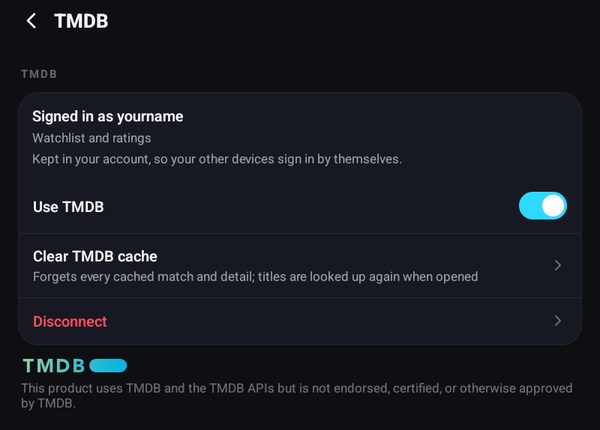
With Keep my passwords in my account switched on (Settings → Encryption on a phone, Settings → Account on a television and a computer), the key and the sign-in are stored in your IPTV Deck account. Every phone, tablet, television and computer you sign in to then uses TMDB on its own, so nobody types a 32-character key with a remote. More about that switch in Encryption.
With the switch off, send the sign-in from the device that has it: Settings → Devices, see Moving to another device.
Use TMDB on the same screen turns it off on this device only. The key stays, and switching it back on needs nothing else.
What it adds
Section titled “What it adds”Cast and actor pages
Section titled “Cast and actor pages”Tap a face in the cast row of any film or series. The actor page shows every film and series of theirs that your own playlists carry, not their whole career.
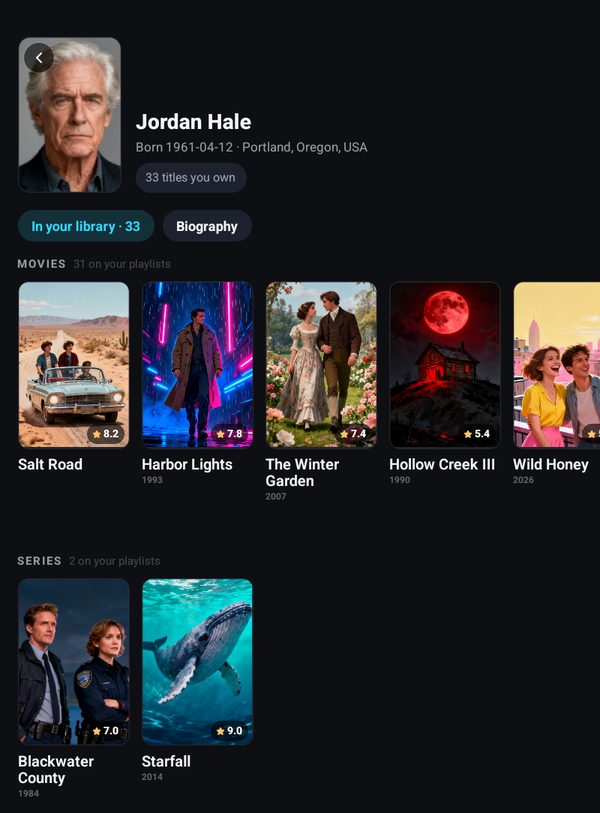
Search for an actor
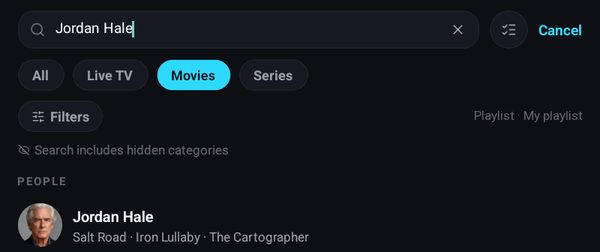
Section titled “Search for an actor”Type an actor’s name in the search and they show up under People, with what they are known for. Tap them for the same page.
Versions of a title
Section titled “Versions of a title”The Versions entry on a card lists the other copies of the same film in your playlist: another language, another quality, a dub. Without TMDB it mostly matches them by name. With TMDB it also finds the copies your provider filed under a different name, a translated title for example, because they point to the same film on TMDB. More in Versions of a title.
Genres
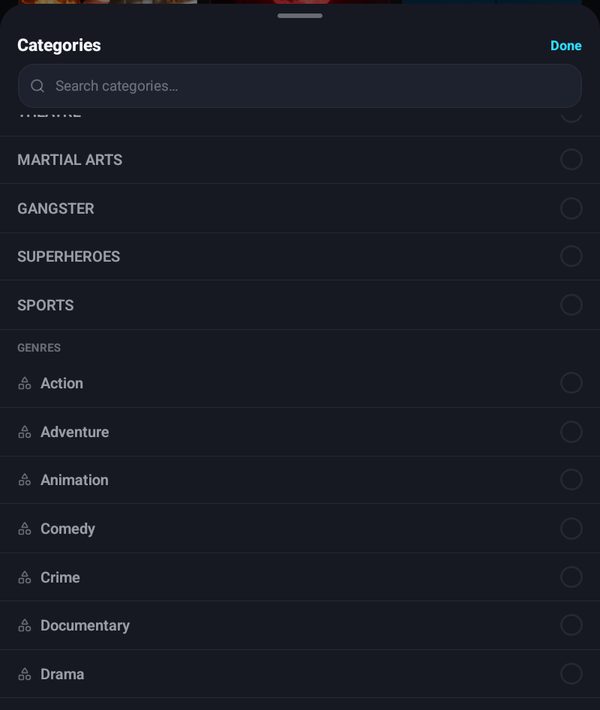
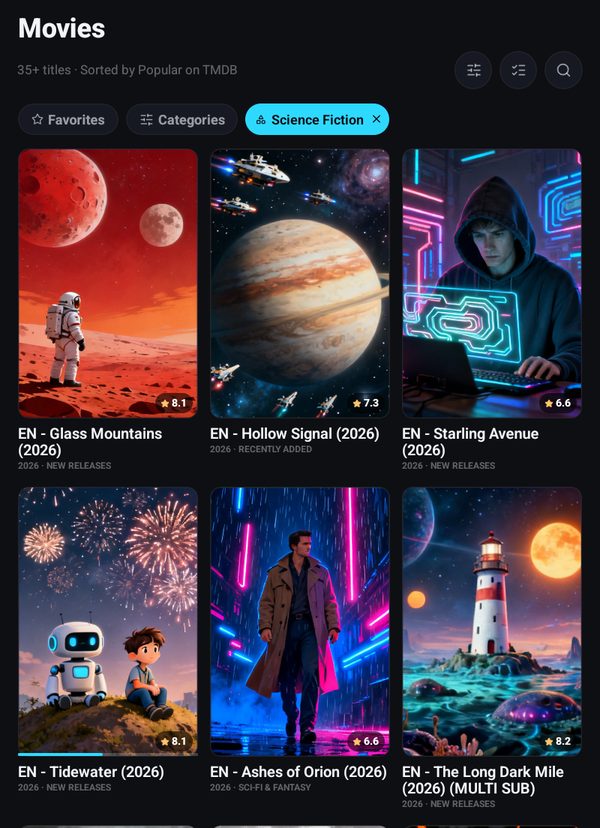
Section titled “Genres”In Movies or Series, open Categories. Under your provider’s categories there is a Genres section. Pick one and you get the titles from your playlist in that genre, most popular on TMDB first, and you can still sort and filter them like a category.
Series
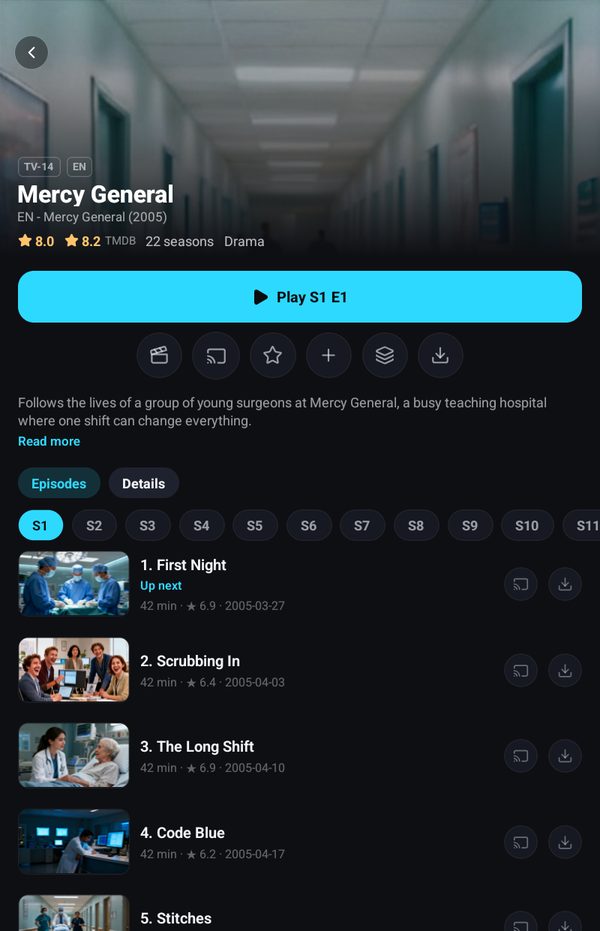
Section titled “Series”A series card gets the same treatment: plot in your language, age rating, the TMDB rating next to the provider’s, cast and trailers, and the guest cast of each episode. Seasons and episodes themselves come from your provider.
Ratings, watchlist and more like this
Section titled “Ratings, watchlist and more like this”- The TMDB rating on film and series cards, next to the provider’s own.
- Rate on TMDB, Watchlist and Add to favorites on every card once you sign in, and your TMDB watchlist on the home screen.
- More like this uses TMDB’s recommendations, matched against what you actually have.
- Outside English, the plot and genres come in your language when TMDB has them.
Why your own key and not ours
Section titled “Why your own key and not ours”TMDB’s terms count a paid application as commercial use, which their basic licence does not cover. So no TMDB key of ours ships in the app. Yours is free, stays yours and can be revoked from the same Settings → API page at any time.
The TMDB logo in the app is the required attribution, not decoration.
How it is used
Section titled “How it is used”TMDB is never queried in bulk. It is asked about a title when you open it, and about a poster when a tile needs one. Answers are kept on the device for up to six months, and a title TMDB does not know is asked about again after seven days.
Matching a provider’s title to a TMDB entry uses a deliberately high threshold plus the year, so a film called Dune Drifter does not turn into Dune. When the app cannot be sure, it leaves the title alone rather than attaching the wrong film’s cast to it.
If it stops working
Section titled “If it stops working”- “TMDB did not accept that API key.” Check that you copied the API Key and not the long API Read Access Token, and that nothing is missing at either end.
- TMDB says the key or the sign-in was rejected later on, usually because the key was regenerated or the password changed. The app stops asking at that point rather than hammering TMDB, and Settings → Integrations asks you to reconnect.
- A title shows the wrong film’s details. Clear TMDB cache on the TMDB screen forgets every match, and titles are looked up again when you open them.