
The home screen
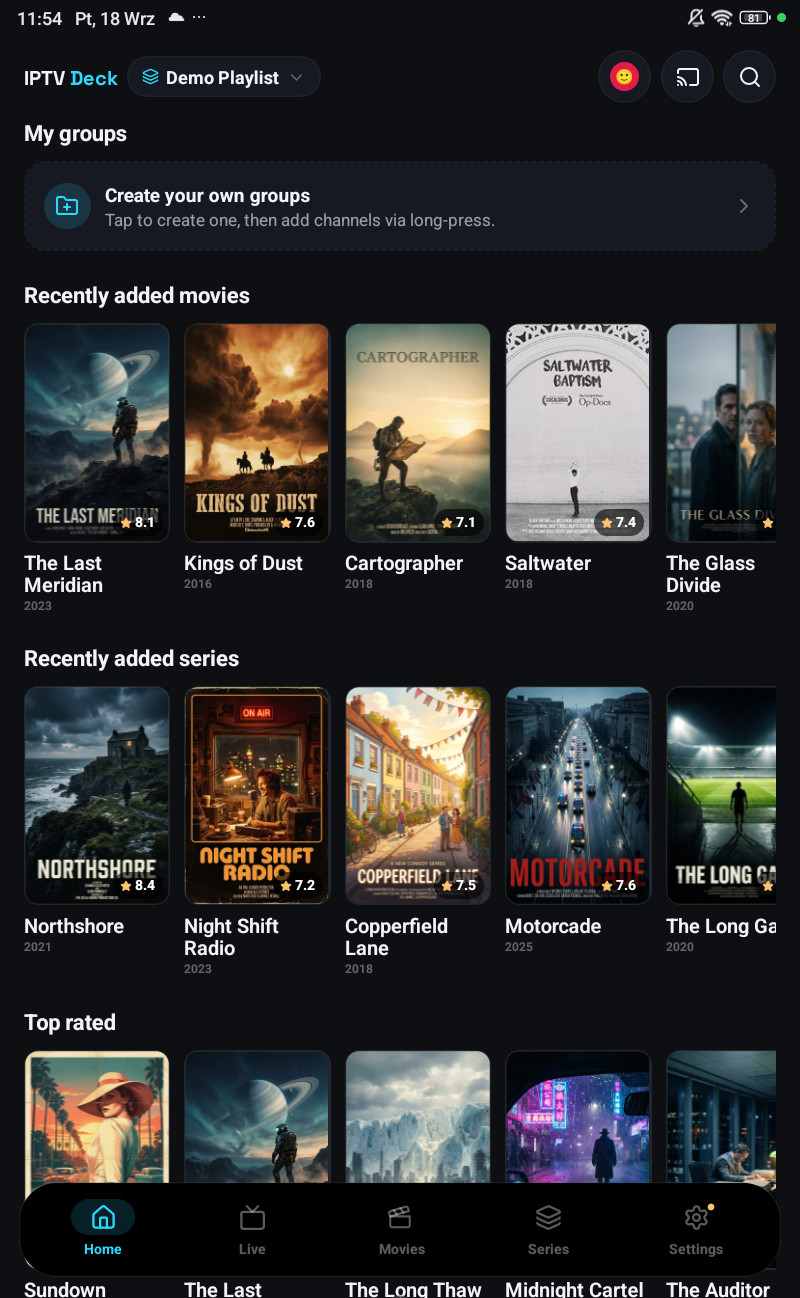
Home is built out of your own use, not out of an editorial list. Nothing on it is promoted, and nothing on it comes from us.
The rows
Section titled “The rows”| Row | Where it comes from |
|---|---|
| Featured (the spotlight) | A title from the active playlist |
| Continue watching · Movies / Series | Anything you started and did not finish, per profile |
| Recently watched channels | The live channels you actually opened, with what is on them now |
| Favourites | What you starred |
| My groups | The groups you built |
| Your watchlist | What you saved for later |
| Recently added | New arrivals in the playlist |

Changing them
Section titled “Changing them”Settings → Appearance → Home screen on a phone, Settings → Home on a television, turns rows on and off and reorders them. On a phone you drag a row by its handle, on a television you hold OK on it and move it with the arrows, and on Windows and the Mac you can drag it with the mouse.
Holding a tile offers to remove it from the row it is in, a film from Continue watching, a channel from Recently watched, a favourite, a group member, a watchlist entry. On the phone that is a long press; on a television it is hold OK.
With several playlists open
Section titled “With several playlists open”Rows are built from every playlist you have ticked, concatenated in playlist order, and every tile carries the name of the playlist it came from. Nothing is de-duplicated, two providers carrying the same film both show it, which is exactly what you want when one of them is down.
It paints before the database is open
Section titled “It paints before the database is open”On a television Home draws from a snapshot of the last session while the catalogue is still opening underneath. That is why it appears in a second or two on a cheap box instead of after a spinner, and why a title can appear a moment before its poster does.