
Adding your own XMLTV
Any number of XMLTV feeds can be added, and they sit alongside the provider’s guide rather than replacing it.
Together with a new M3U playlist
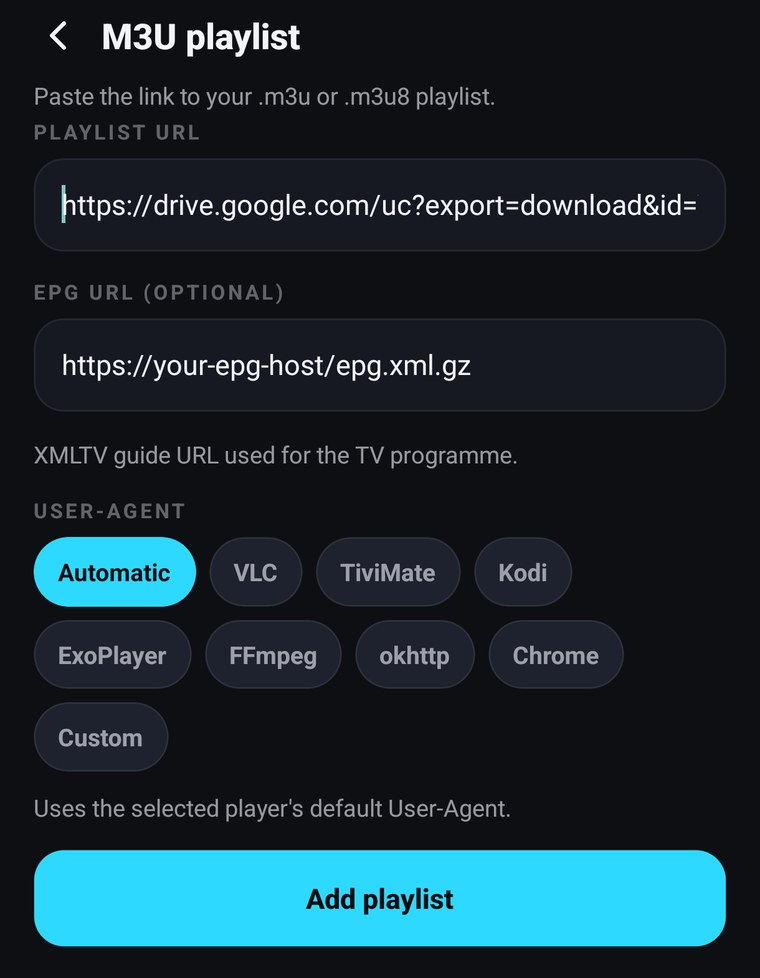
Section titled “Together with a new M3U playlist”The EPG URL (optional) field in the M3U form takes the guide address for that playlist. Fill it in when you add the playlist and there is nothing else to do.
On a playlist you already have
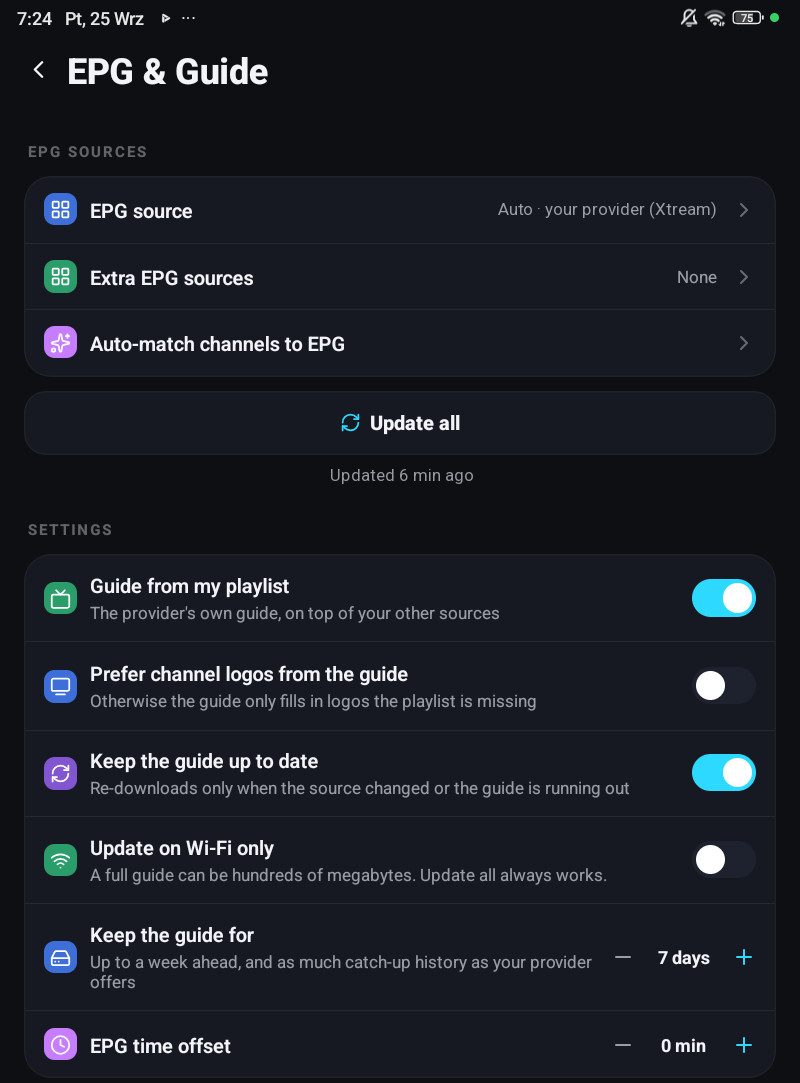
Section titled “On a playlist you already have”Settings → EPG & Guide → Extra EPG sources. The row shows N configured or None.
Add the address, save, and press Update all under the sources. The address must be the XMLTV
file itself, a .xml or .xml.gz URL. A page that links to one will not do.
On a television the same row is Extra guide sources, under Settings → EPG & Guide; the address can be typed with the remote, or sent from your phone.
Turning the provider’s guide off
Section titled “Turning the provider’s guide off”Guide from my playlist switches off the automatically built Xtream guide, leaving only the sources you added. Do that when your provider’s guide is worse than the one you found, otherwise leave it on; two sources are better than one, and the app prefers whichever actually has a programme on air for a given channel.
When the guide stays empty afterwards
Section titled “When the guide stays empty afterwards”- Give it time. A full XMLTV is tens to hundreds of megabytes and is parsed on the device. The EPG row says Updated … when it is done.
- Check the channel ids. Your feed’s
channel idvalues have to be reachable from your playlist names, see how matching works. A guide for a different country will never match. - Check it is not gzip-in-disguise. Some hosts serve
.xmlthat is actually gzipped without saying so. If another app reads the feed and this one does not, that is usually why. - Check Wi-Fi only. With Update on Wi-Fi only on, an automatic refresh waits for Wi-Fi. Update all ignores it.
More causes on The guide stays empty.
Changing a playlist’s address does not lose its guide
Section titled “Changing a playlist’s address does not lose its guide”When you edit an Xtream playlist’s server or password, the guide source is rewritten to match. Your downloaded programmes are not thrown away and re-fetched.