
The guide stays empty
An empty guide has a handful of causes. They are worth checking in this order, because the first two cover most of it.
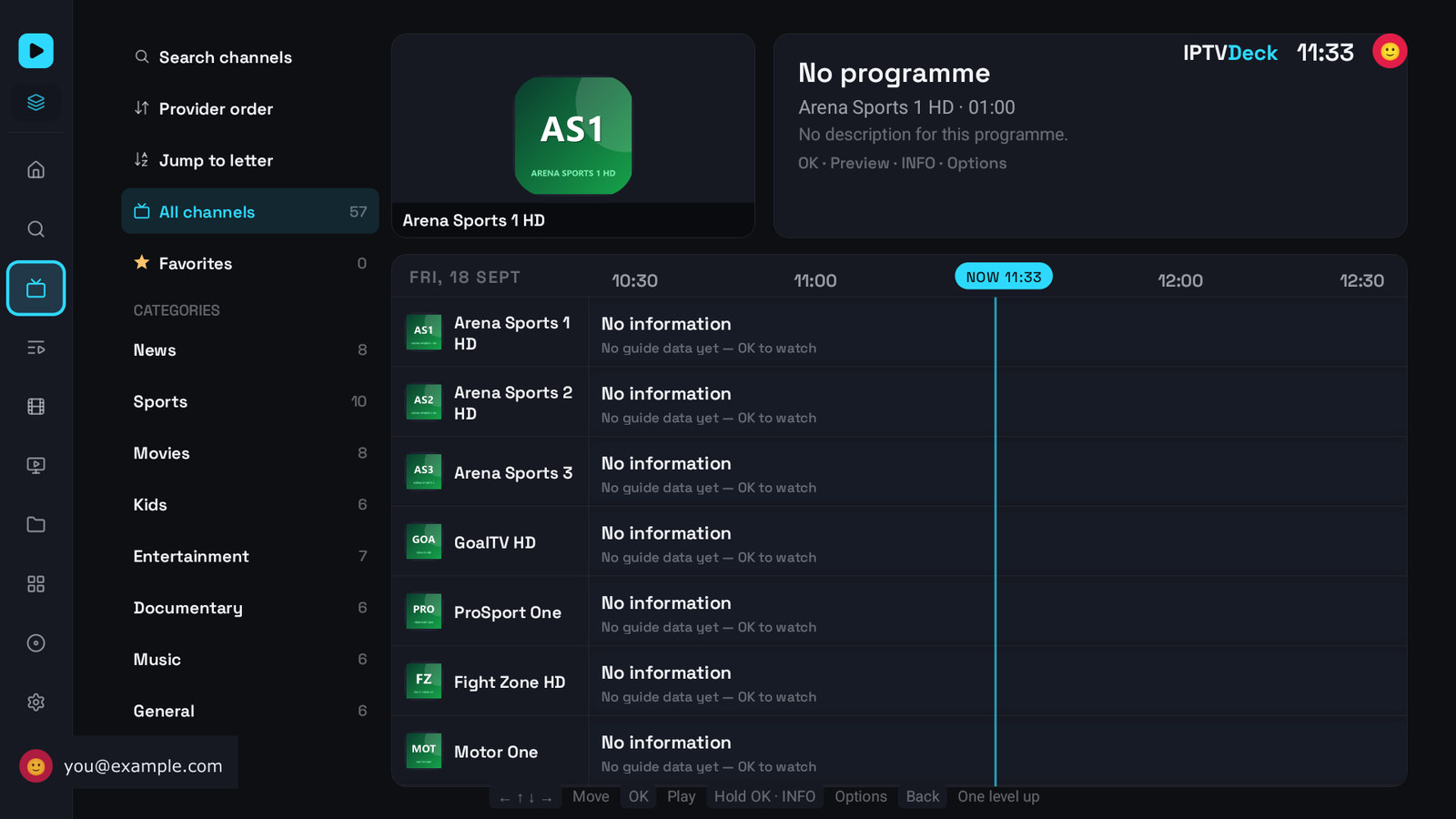
1. It has not finished downloading
Section titled “1. It has not finished downloading”A full XMLTV feed is tens to hundreds of megabytes and is parsed on the device. On a cheap television that takes minutes, not seconds.
Settings → EPG & Guide shows the state, in the line under Update all. While it is working it says so; when it is done it says Updated ….
2. The playlist has no guide address
Section titled “2. The playlist has no guide address”An M3U playlist has none unless you gave it one. An Xtream playlist normally builds one from your credentials, and Guide from my playlist turns that on.
EPG source at the top of the settings screen tells you what it resolved to. If it says Not set, that is your answer, and adding an XMLTV source is the fix.
3. It is waiting for Wi-Fi
Section titled “3. It is waiting for Wi-Fi”With Update on Wi-Fi only on, an automatic refresh waits. Update all ignores it and works on mobile data.
4. The channels did not match the guide
Section titled “4. The channels did not match the guide”The guide is there, the channels are there, and they did not meet. Run Auto-match channels to EPG, which reports Matched N of M channels.
Matching normalises both sides before comparing, and when a name could mean two channels it refuses to guess rather than showing the wrong programme. So a guide built for another country will match almost nothing, and that is correct behaviour rather than a failure.
5. You just switched playlist
Section titled “5. You just switched playlist”Each playlist has its own guide and its own schedule. A playlist you have just ticked fetches its own guide, and until it does, its channels have no programmes. The label in Settings reads the active playlist’s sources, so it can say Updated 9 h ago about one playlist while another is still empty.
6. You deleted the category rather than hiding it
Section titled “6. You deleted the category rather than hiding it”A category you chose not to download has no channels on the device at all, so there is nothing for the guide to attach to. A category you hid still has its channels, and its guide loads normally.
See Categories for the difference.
7. The times are wrong rather than missing
Section titled “7. The times are wrong rather than missing”If programmes are there but shifted, that is the source’s timezone. Settings → EPG & Guide → EPG time offset, up to three hours in half-hour steps.
Still nothing
Section titled “Still nothing”Clear it and start again: Settings → Storage → Clear EPG cache, then Update all in Settings → EPG & Guide. If the same XMLTV feed loads in another app and not here, say so in a bug report and include the feed’s address.