
Reading the guide
The guide is a grid: channels down, time across, seven days back and seven days forward where the source carries them.
On a television
Section titled “On a television”TV Guide on the rail.
| Key | What it does |
|---|---|
| Up / Down | Another channel |
| Left / Right | Another programme on the same channel, the timeline follows |
| OK | The action for the programme under the cursor |
| Hold OK | Options: favourite, group, record, remind, versions |
| Back | Out of the grid, to the category column and then out |
The card under the cursor says what OK will do, because it changes: watch the channel now, play from the start out of the archive, set a reminder for something in the future, or open a recording you already made.
Behind the grid, the highlighted channel plays as a preview. Two settings shape that:
- Guide preview follows the cursor (on by default), moving the cursor changes the preview.
- With it off, the first OK on a channel moves the preview to it and the second one opens it full screen, so you can look around without leaving what you are watching.
The preview is handed over rather than restarted when you move between TV Guide and TV Channels, so switching screens does not re-buffer the same channel.
On a phone
Section titled “On a phone”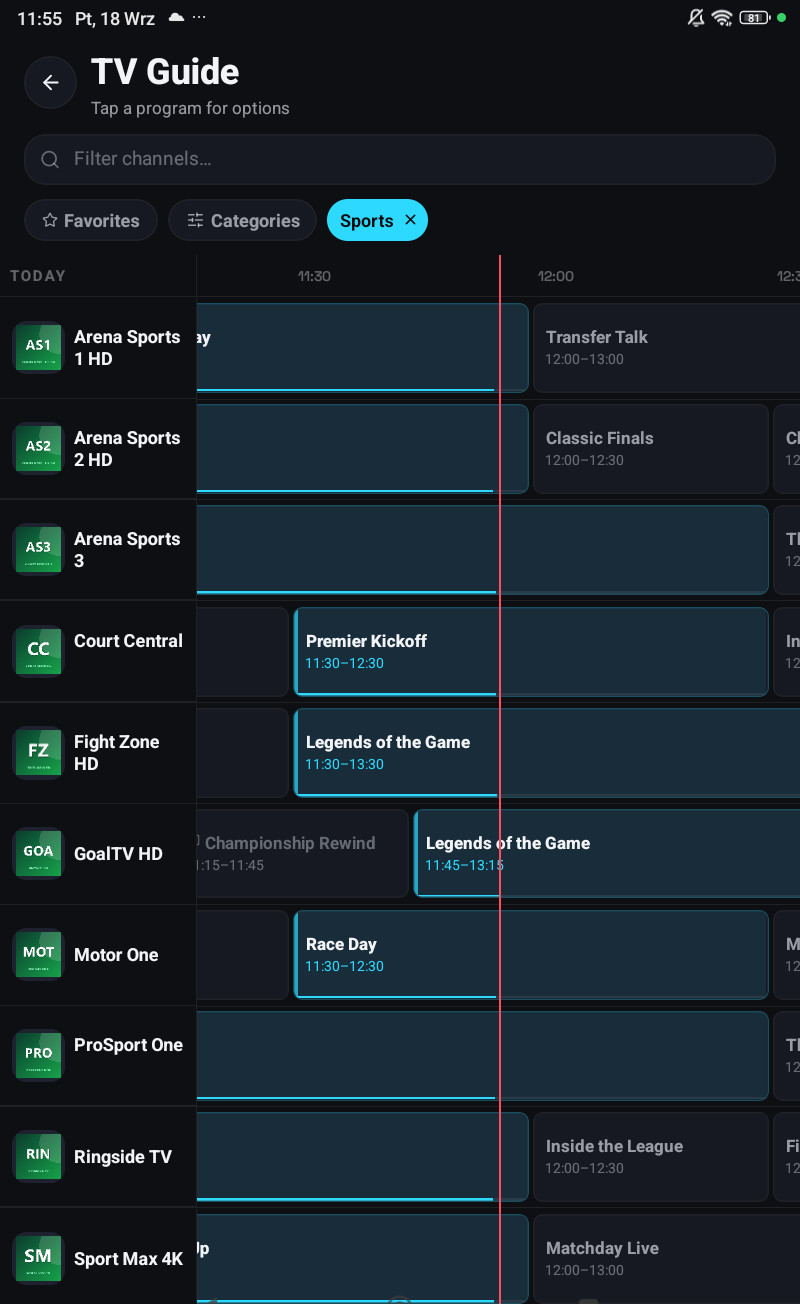
The guide opens from Live. Drag the grid sideways to move through time, up and down through channels, and tap a programme for its card, description, times, and the actions that apply to it.
What a programme card offers
Section titled “What a programme card offers”Depending on when it is:
| Past | On now | Future | |
|---|---|---|---|
| Watch | From the archive, if the channel has one | Live, or from the start | no |
| Record | From the archive | yes | Scheduled |
| Remind me | no | no | yes |
Whether from the archive is offered at all depends on your provider, see Catch-up and archive.
The description is not always there
Section titled “The description is not always there”Some sources publish titles only, some publish full synopses, and some publish a synopsis for the first showing of a programme and nothing for the repeat. The app shows what the source gave it.
Searching the guide
Section titled “Searching the guide”Search finds programmes as well as channels, and a search for a programme lists every channel airing it, useful when a match is on four sports channels and only one of them works for you.