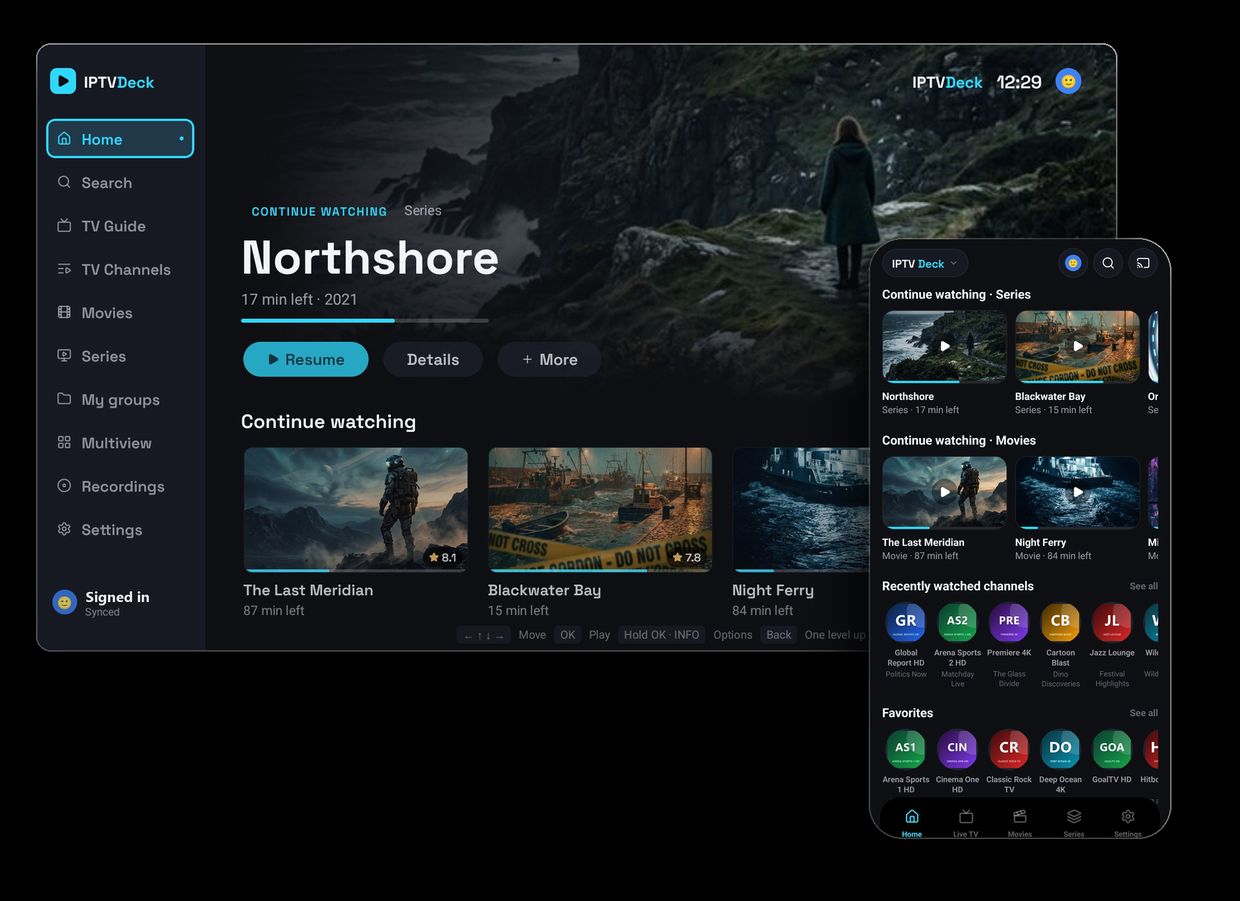
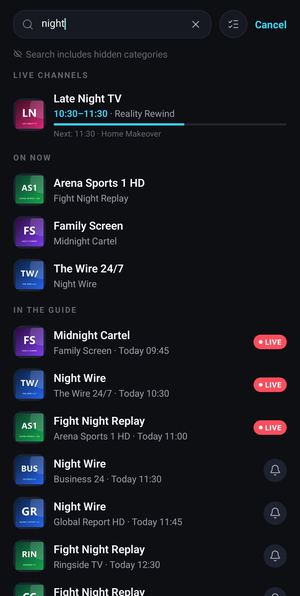
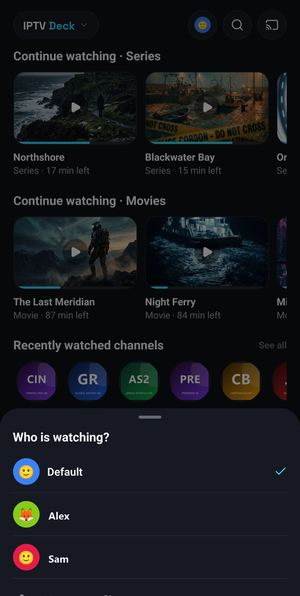
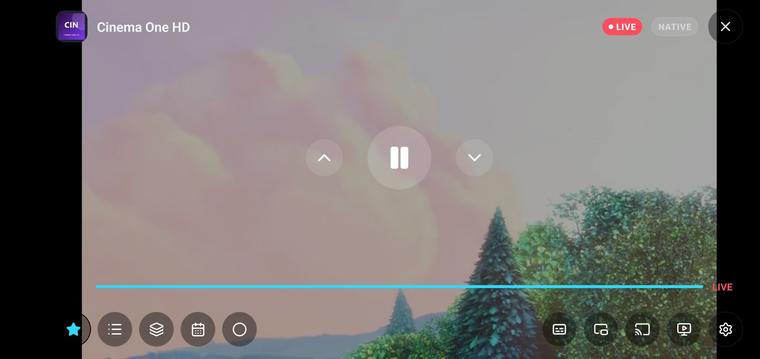
A recording of the real app — the screens below, only moving. The posters and titles in it are sample content, put together for this presentation.
Nothing is loaded from YouTube until you press play — or open them on YouTube: trailer · phone version.
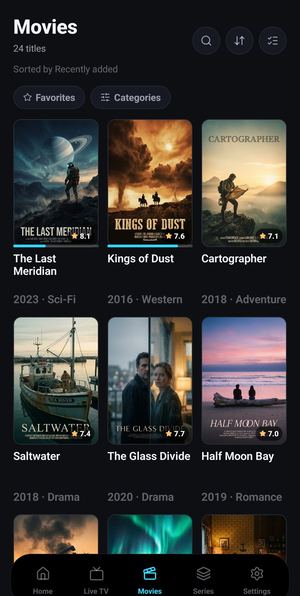
Tap a screen to open it in the phone. Every screen below is the real app, not a mock-up — the posters and titles inside them are sample content, put together for this presentation.
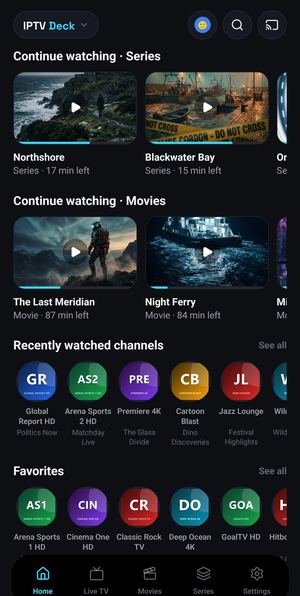
Continue watching for series and movies, recently watched channels, favorites and your own groups — all on one screen, painted from cache the moment it opens.
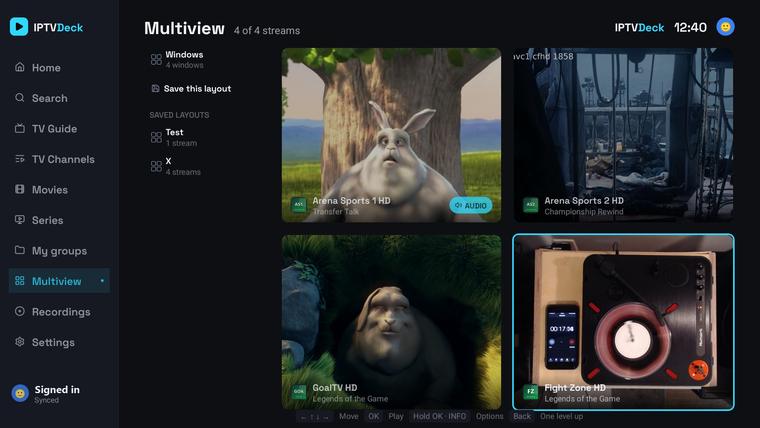
The player, zapping and multiview all get the whole screen — with gestures for brightness, volume, ±10 s and pinch zoom.
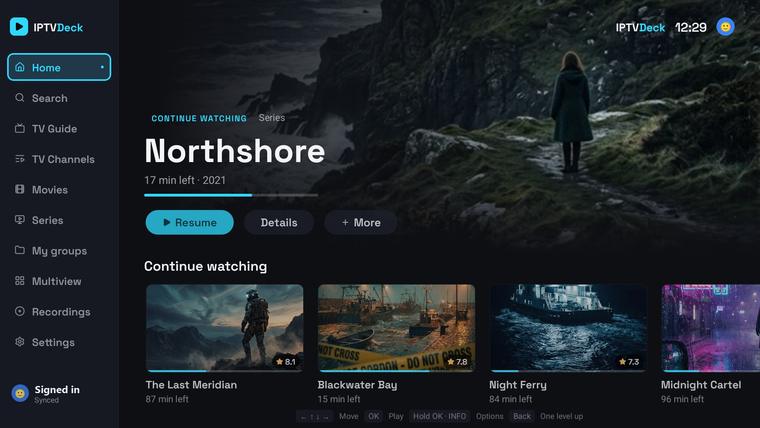
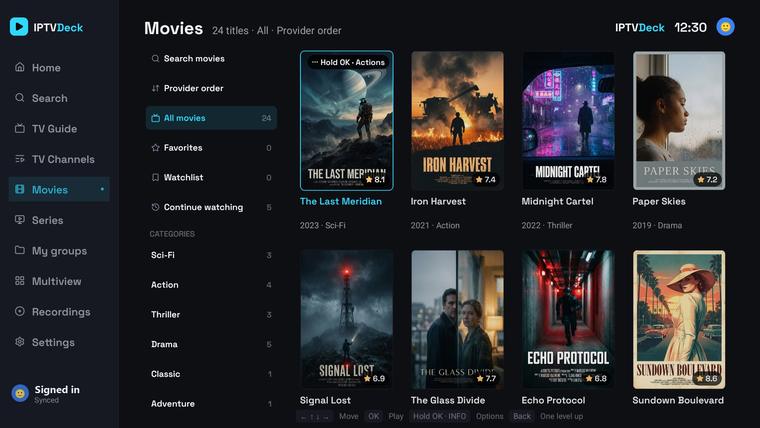
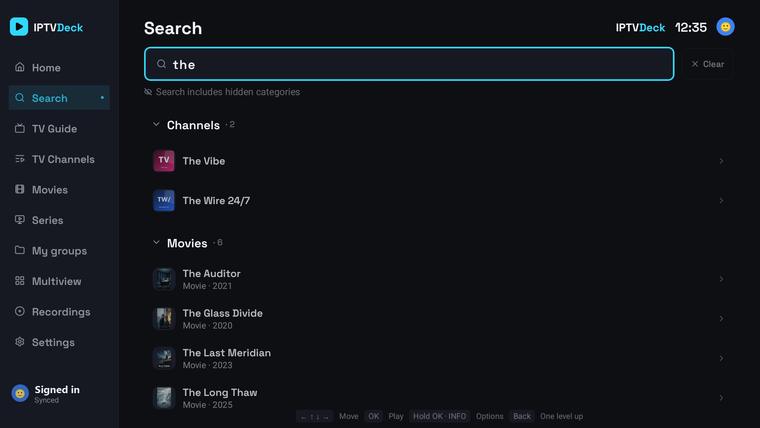
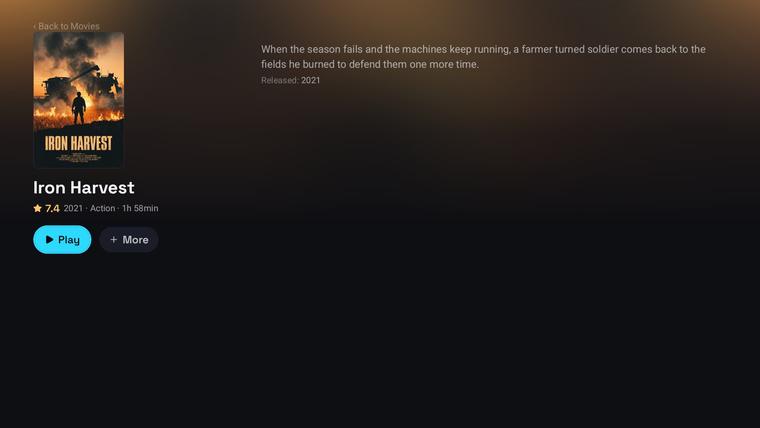
A separate interface drawn for a remote on a 1920×1080 canvas — a side nav rail, a hero spotlight, content rails and focus handling tuned for a D-pad. Not a stretched phone app. Here too, the posters and titles on the screen are sample content.

A hero spotlight over content rails — continue watching, favorites, your groups and discover — with the side nav rail always one press away.
IPTV Deck is not in the Amazon Appstore, so on Fire TV you install it with the free Downloader app — the standard way players like this get onto a Firestick. Two minutes, no computer needed.
Day-to-day updates arrive inside the app automatically. When a new install file is occasionally needed, the app shows a notice with this address.
Find a film on your phone, press Watch on TV, and it starts on the television — from the position you stopped at, in full quality, decoded by the TV itself. If the TV is asleep, the same tap turns it on first and waits for it to come up.
The phone sends the title and your resume position — nothing more. The television opens the stream itself, so there is no waiting for an upload and no second copy of the video anywhere.
A sleeping box shows up as “asleep — tap to turn it on and play”. A magic packet over your own network wakes it, the app waits until it reports back, and the film starts. Waking needs an Android phone on the same network.
Nothing goes through the phone, so nothing is re-encoded and nothing drops when you lock it. Put it in your pocket, take a call — the television carries on with its own decoders.
Pair them once with a QR code. After that the phone is the keyboard, the remote and the second screen.
Sign in on the TV from your phone, and add a playlist with its credentials without retyping a thing.
TV search takes the on-screen keyboard — or the one you already know, in your hand.
A full D-pad on the phone, plus play, pause, seek, channel up/down and volume — all going straight to the TV app.
Whatever is on the television shows up on the phone, so you can pause it, skip forward or change channel without hunting for anything.
Xtream Codes, an M3U link or a local file. Several playlists with a quick switcher, per-playlist User-Agent, alternative provider hosts and auto-refresh every 6 / 12 / 24 h.
Three decoding paths: ExoPlayer, an FFmpeg software decoder, and VLC as a full fallback — so HEVC and AC-3 channels other apps call “unsupported” still play.
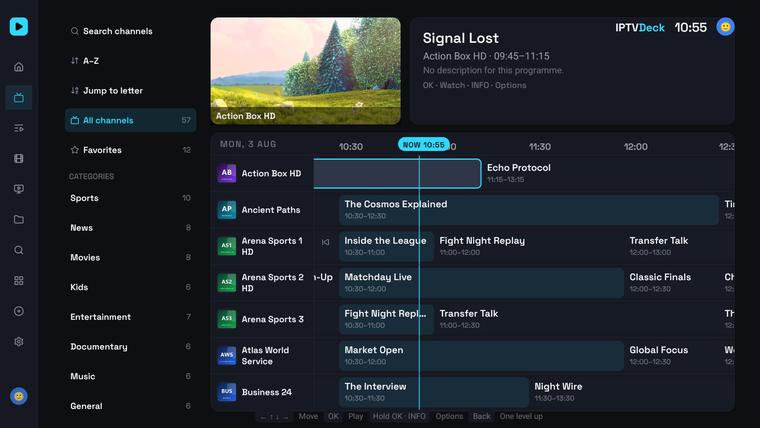
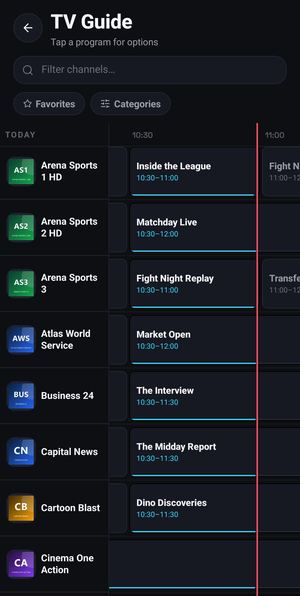
Sources detected automatically, any number of extra XMLTV feeds, a ~90 MB guide imported as a stream, catch-up on past programmes and a ±3 h time offset.
Playlist names are almost never equal to guide ids, so both sides get normalised: the country prefix goes, the quality tags go (HD, FHD, 4K, HEVC, RAW, VIP, backup), accents are folded — German ä to ae included — and only what is left gets compared. When one name could mean two different channels it refuses to guess rather than show you the wrong programme, and whatever you matched by hand is never overwritten.
Tap the bell on any future programme. The notification arrives with the app closed, and one set on the TV reaches your phone on its own.
Embedded audio and subtitle tracks, plus OpenSubtitles searched and ranked against the actual movie or episode. Bring your own API key if you have one.
A resumable chunked downloader for whole movies or single episodes. Recording — from the live stream, the EPG or catch-up — lands in 1.3.0.
Custom groups, drag-and-drop everywhere, pinned channels, renaming, hiding and PIN-locked categories.
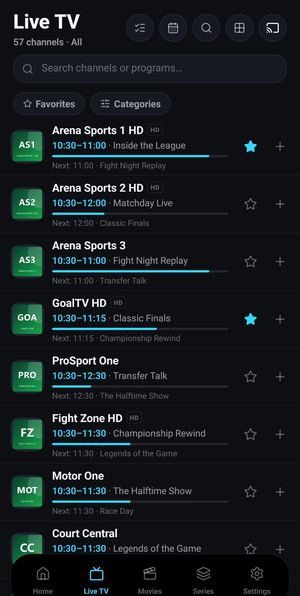
The same station often arrives from a provider five times over — HD, FHD, RAW, VIP, backup. The app reads them as one channel, orders them by quality, throws away copies pointing at the same stream and puts up to eight behind a single switch in the player. Match the guide on any one of them and the rest inherit it.
Several profiles in one install, each with its own favorites, history, watchlist and groups. A kids profile hides the settings; a PIN locks the app.
Device discovery, a mini control bar, remote audio and subtitle selection, external VTT pushed to the TV and the position kept in sync.
Buy once and the same plan unlocks IPTV Deck on your phone, Android TV, Fire TV and iPhone. New here? The app starts with a free trial — subscribe when you are ready.
Payments are handled by Stripe — cards, Apple Pay and Google Pay. Subscriptions renew until cancelled — manage or cancel any time. Prices in USD.
The part you cannot screenshot, and the main difference once a provider gives you tens of thousands of channels and a couple of hundred thousand titles. Every number below comes from real engineering decisions, not a marketing line.
Live channels, movies and series in one catalog — held in SQLite, never loaded into memory whole. Lists are virtualized with fixed row heights, and filtering happens in the database on composite indexes, never in JavaScript.
A full refresh of a catalog that size on an old Chromecast with Google TV — one of the slowest boxes out there. No native-bridge bottlenecks: SQLite bindings, file reads and text decoding all stay off the critical path.
Jumping to a letter is a query, not a scroll through hundreds of thousands of rows — the same speed on 800 channels as on a full provider catalog.
Screens paint from cache and revalidate underneath, TV tabs are prewarmed, scroll positions are remembered, and dead streams retry three times on their own.
IPTV Deck is a player, nothing else. It ships with no channels, no films and no series, and it neither provides, hosts nor sells any content. To watch anything you add your own playlist — an Xtream Codes account, an M3U link or a local file — from a source you already have the right to use.
The screenshots show the app, not an offer. The posters, titles and programmes visible in them are sample content, put together for this presentation — they are not available in the app and say nothing about what any playlist contains.